Access Profiles
Manager | Partner
Access Profiles allow you to securely configure connectivity and policies for your Kubernetes clusters and Bastion servers.
The Access Profiles table can be extended to display the last modification details, including "Last Modified" and "Last Modified By."
Note
When using SSH to connect to the servers, do not use the user "ubuntu"; it is reserved for Taikun’s cluster management.
Adding an Access Profile
Create a new Access Profile to access a specific project by clicking the "Add Access Profile" button.
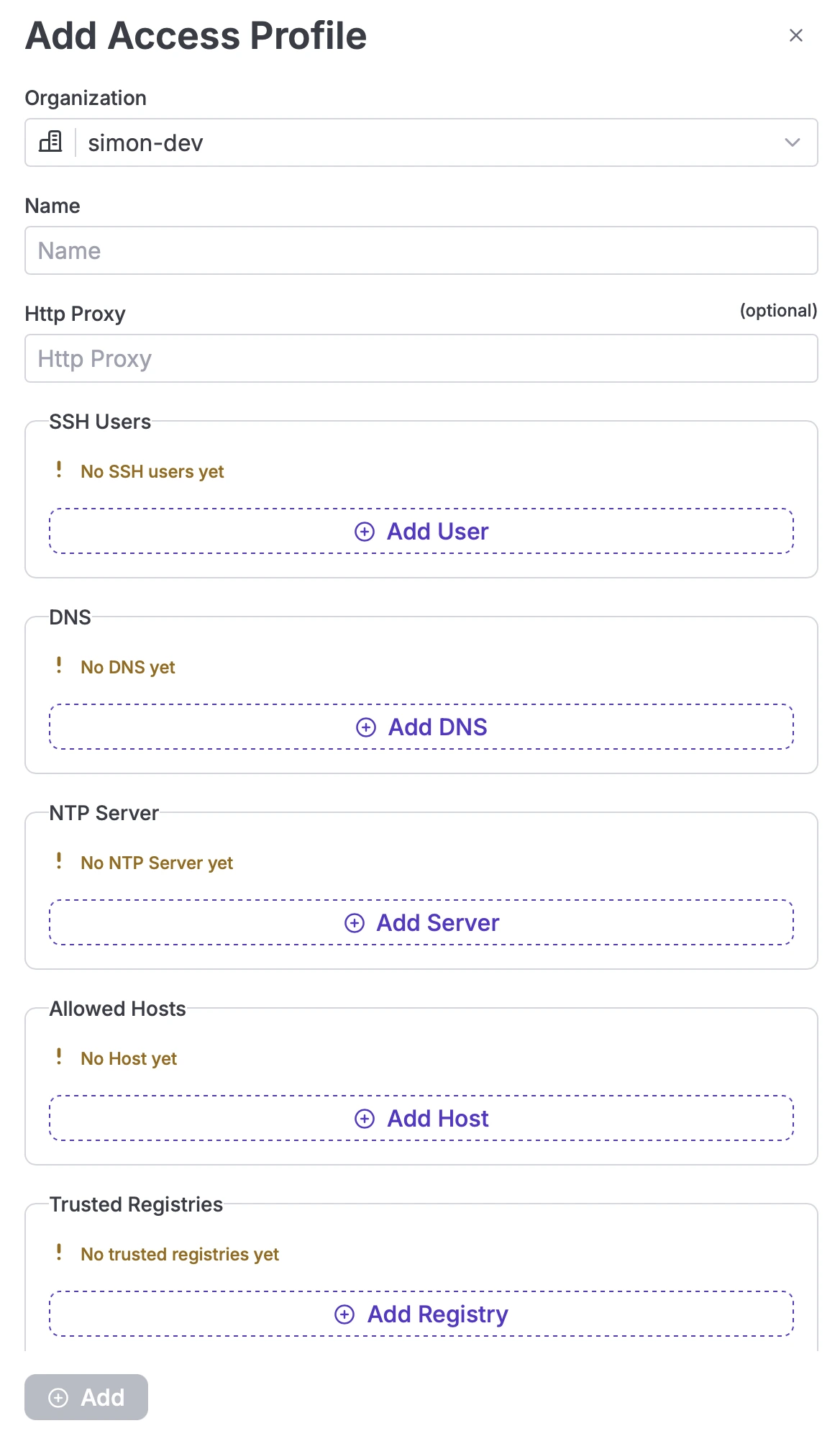
Add Access Profiles
Specify the following parameters:
- Name: Choose a name for the new profile (3-30 characters).
- HTTP Proxy: Set a proxy server to create a gateway between the cluster and the Internet, allowing access to external packages, Docker images, etc. This ensures security by preserving your own IP.
Additional Configuration Options
SSH Users
Allow a user to access the Kubernetes API by adding a Public Key (supported key types: RSA, ECDSA, Ed25519).
Note
If your Public Key contains special characters (such as : or +), Taikun will fail to create the servers in Proxmox.
DNS
Resolves alphabetic names to IP addresses. You can specify a DNS for your server.
Note
DNS settings will be ignored if you choose to import network configurations when establishing Cloud Credentials.
NTP Server
Synchronizes local time clocks with a selected time server, ensuring all clusters operate in the same time zone.
Allowed Hosts
Define an IP address or range to restrict access to your Kubernetes environment.
Note
If you need to update any of these parameters, you can use the Show button to modify the necessary fields.
Trusted Container Registries
Users with sufficient privileges (such as Partner or Managers) can define and manage Trusted Container Registries within an Access Profile. This feature allows organizations to control which container registries are approved for use during Kubernetes cluster creation.
The Trusted Registries section is available when creating or editing an Access Profile.
More about Trusted Registries you can learn here: Trusted Registries
Actions
Edit HTTP Proxy
Update the access profile.
Delete Access Profile
Delete an Access Profile, but the default profile cannot be removed.